
AI Interrogation Tools
Practical planners and checklists that keep your ten tries focused during live interrogations.
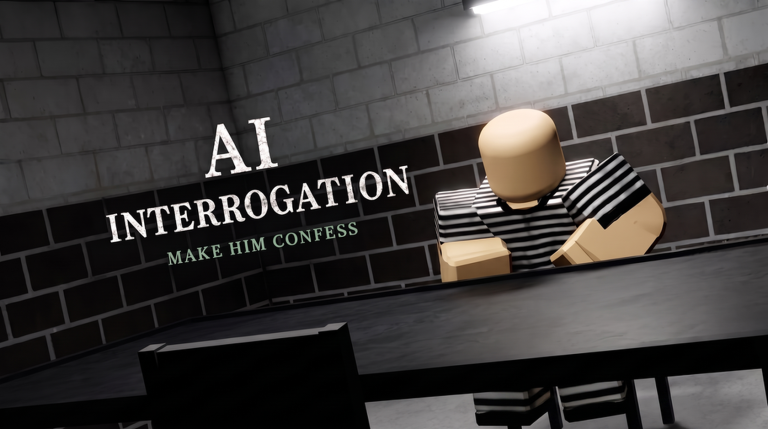
The Tools Hub collects lightweight aids for AI Interrogation sessions. These are not Roblox executors and not game mods. They are planning sheets you use beside the terminal while TrueTalk AI’s suspect answers. Because the experience is solo and try-limited (~10), a good checklist outperforms another random rematch.
Tools in this hub
- Question planner — draft asks by phase before and during a case
- Pressure checklist — decide escalate vs soften after each reply
- Pair with note-taking — three-column log of time, place, and quotes
- After a walk-free, open fail and retry before you requeue
When to open tools
| Situation | Open |
|---|---|
| New brief / Daily Case | Question planner |
| Suspect going cold | Pressure checklist |
| Too many clues | Planner + evidence priority |
| Prepping Case 005 | Both tools + Case 005 guide |
How tools fit the wiki
Tools operationalize guides:
- Fundamentals → how to play
- Ladder → how to get a confession
- Templates → interrogation strategies
- Rankings → Tier List Hub
If you only read strategy pages but never write a plan, you will repeat the same try-waste patterns.
Suggested workflow
- Highlight brief facts.
- Fill three map questions and three pressure questions in the question planner.
- Play.
- After every reply, run the pressure checklist.
- Adjust the next ask — do not improvise from emotion.
What these tools are not
- Not scripts (Scripts Hub status: no dedicated public kits)
- Not codes (Codes Hub)
- Not spoilers that replace case guides
- Not substitutes for reading controls
Practice pairing
Use tools on Custom Cases until filling them is automatic, then bring them into Daily Cases and base spikes like Case 004.
Why paper beats memory in this game
AI Interrogation replies can be long, charming, and inconsistent on purpose. Your brain will drop the exact phrase that breaks the alibi two tries later. Writing the phrase into the planner is the difference between a quote trap and a vague “but you said something else.” The pressure checklist then decides whether that quote is ready to spend or whether tone must cool first.
Players who “just wing it” often report that the suspect “randomly” shut down. In practice they escalated insults while holding no proof, or they soft-balled for six tries and panic-closed on try nine. Tools make those mistakes visible before you send.
Tool-assisted route for Warehouse Fire
- Planner: prewrite gas station, warehouse, and seen-running asks.
- Planner ignore line: boots / dirtbike.
- Live play with checklist after every reply.
- If tangent appears, checklist says redirect — not debate.
- Close only after the location chain exists.
Details remain in the Case 005 guide, but the tools keep your fingers honest.
Tool-assisted route for object cases
Marcus-style clears from the confession guide benefit from a planner column for hammer, stain, clock, and dumpster. Escalate only when a dodge appears on one of those four. Soften if the suspect collapses into silence after a heavy proof drop.
Weekly habit
- Two planner-filled customs
- One Daily with cold planner
- One ranked review against question strategies
- One spike attempt (004/005) using both tools
Related hubs
Open this Tools Hub before hard runs. Two minutes of planning prevents eight minutes of polite lies, and five seconds of checklist thinking prevents a shutdown that wastes the rest of your budget. If you only open one child page today, open the question planner and fill the ignore line before you touch Case 005.
Frequently Asked Questions
Quick answers for AI Interrogation detectives.
Are these in-game tools?
No. They are wiki planning aids you use alongside the Roblox terminal.
Which tool should I open first?
Start with the question planner, then keep the pressure checklist nearby.
Do tools work for Daily Cases?
Yes — they shine when briefs are unfamiliar. See Daily Cases.